USB Type C
Posted on January 4, 2016 by KVMGalore | 0 comments
Categories: Input/Output
Tags: USB
Learn more about the technology you love
Posted on January 4, 2016 by KVMGalore | 0 comments
Categories: Input/Output
Tags: USB
Posted on December 7, 2015 by KVMGalore | 0 comments

A KVM switch uses cables to connect its computer ports to each computer's keyboard, video and mouse ports. Traditionally, these are coax cables, but coax KVM cables tend to be bulky and somewhat cumbersome to manage, especially when deploying ...read more.
Categories: KVM Extenders, KVM Switches
Tags: CAT-5, CATx, KVM extender, KVM switch, matrix KVM
Posted on March 2, 2015 by KVMGalore | 0 comments

As an IT administrator, lab or network manager, you need to access and control multiple computer systems and servers, perhaps widely dispersed, for routine maintenance as well as for real-time troubleshooting and repair. The remote server management tool you want to use must enable ...read more.
Categories: KVM over IP
Tags: IP, KVM switch, Raritan
Posted on December 26, 2014 by KVMGalore | 2 comments

A multi-screen KVM switch (also known as multi-monitor, multi-display, multi-head, multi-video) is a KVM switch that supports computers with multiple video-heads each.
A multi-screen KVM switch allows accessing and controlling such multi-video computers from one console consisting of one keyboard, one mouse and multiple monitors. As all KVM switches do, a multi-screen KVM switch also allows ...read more.
Categories: KVM Switches
Tags: Extended Desktop, KVM switch, multi-video, video card
Posted on July 9, 2014 by KVMG-CMS | 1 comments
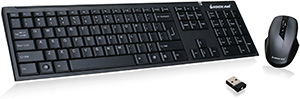
A KVM switch and wireless keyboard and mouse to control it don't always live in harmony. More often than not, a wireless keyboard may work just fine controlling a KVM switch, but a wireless mouse migh ...read more.
Categories: KVM Switches
Tags: keyboard, KVM switch, mouse, wireless